Keep designing in Webflow. Upgrade how you manage content.
Inbind is the content workspace that sits on top of Webflow CMS giving your team a faster, more focused editing experience with the stuff Webflow's built-in CMS doesn't offer.
Get Started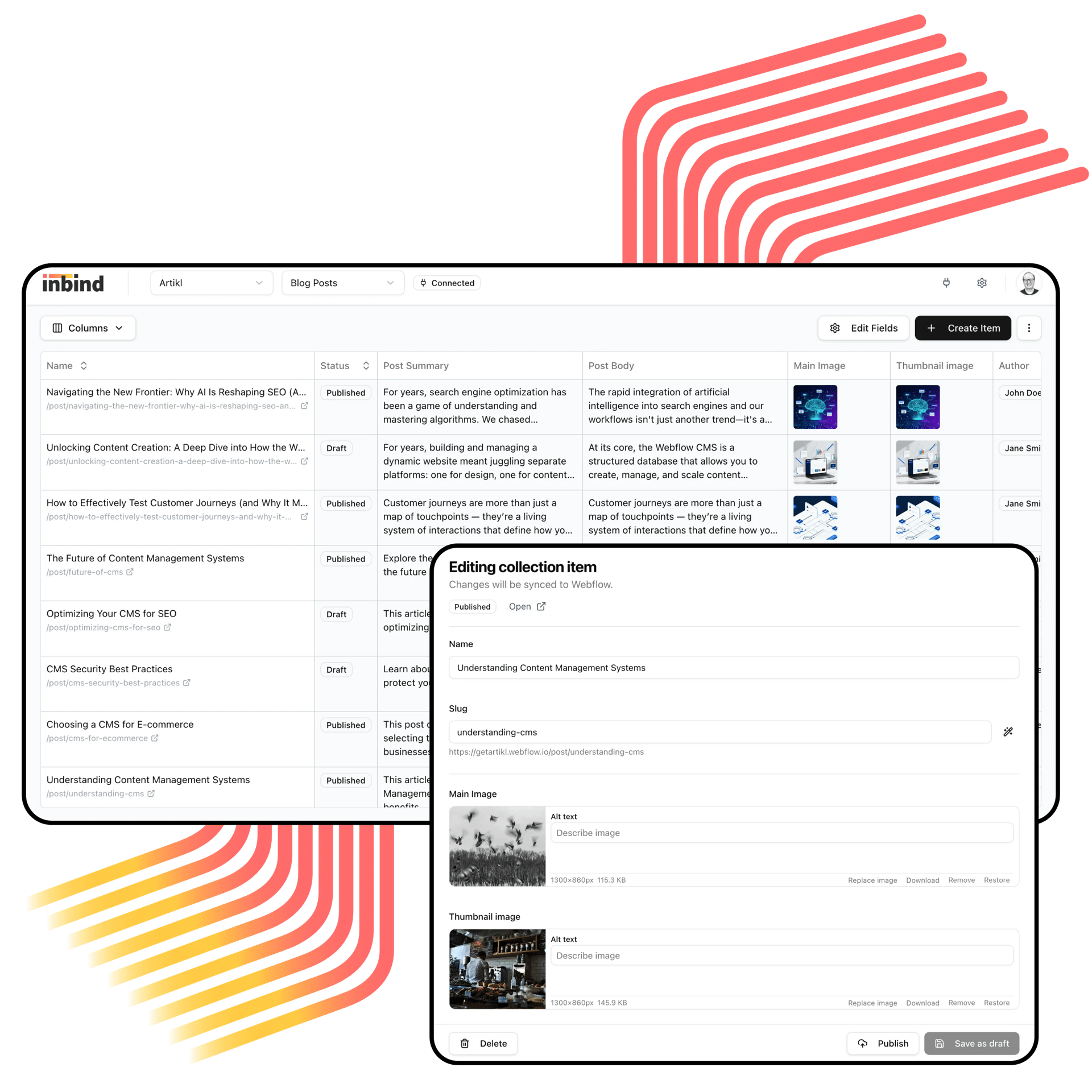
You love Webflow.
Your CMS workflow?
Not so much.
Webflow handles design. Inbind handles content. Together, they give you a full website workflow.
Webflow is great for designing. But day-to-day content work like editing fields, updating rich text, managing SEO metadata across dozens of collection items, the built-in CMS can feel slow and limiting. Your content team shouldn't need to open Designer for every update. And they shouldn't be held back by collection limits or missing workflow tools. That's where Inbind comes in.

Everything in one workspace
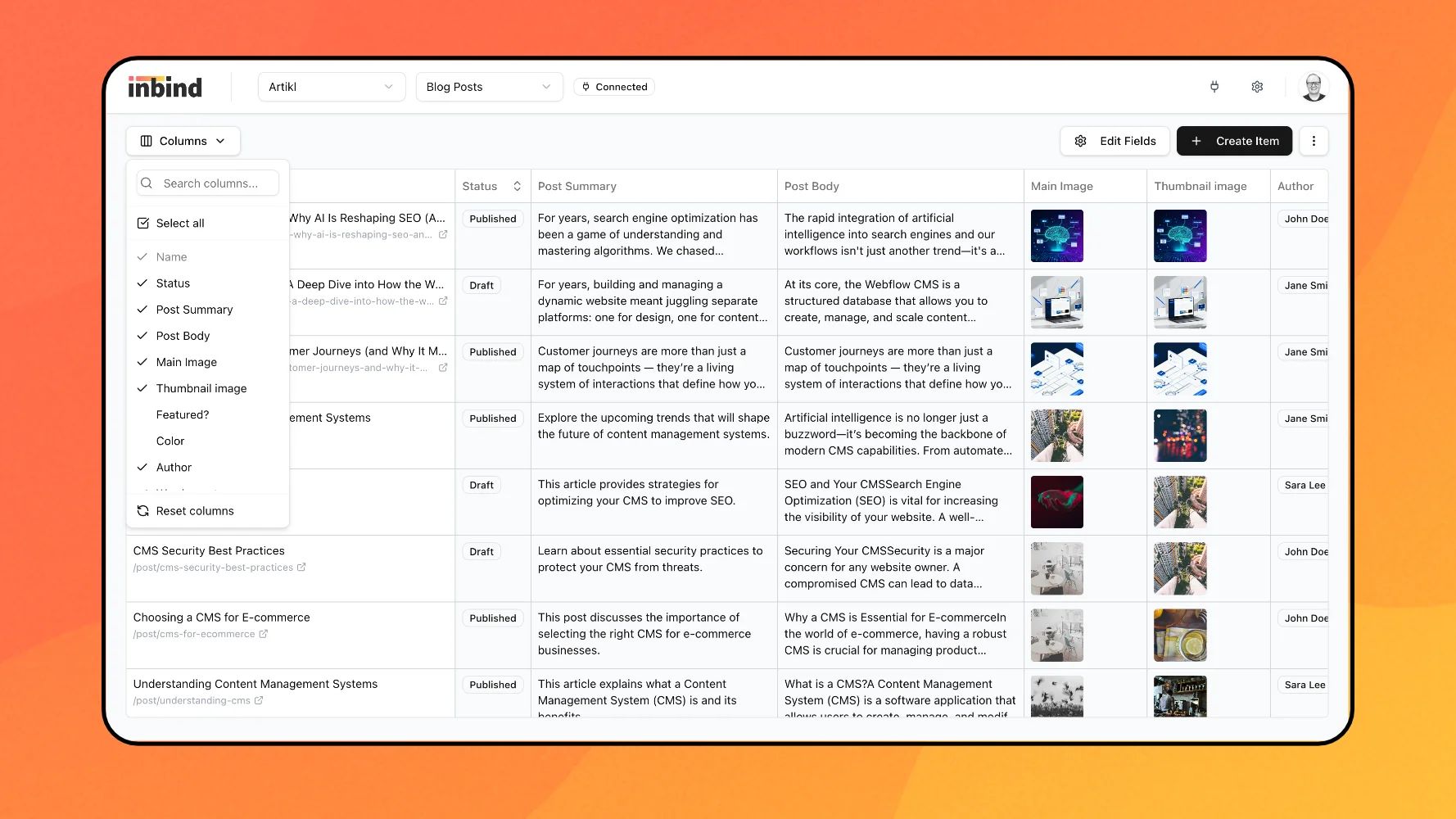
All your Webflow collections, fields, and content in one clean editing workspace.
The extras your content team has been asking for
Everything your Webflow CMS does today, plus the tools that make content work feel less like work.
Unlimited collections, no pricing tiers
Webflow limits collections based on your plan. Inbind doesn't. Create as many internal collections as you need without worrying about hitting caps or upgrading.
Automate the repetitive stuff
Use generated fields to compose SEO titles, descriptions, or any other field from your existing data. Set it once and stop copy-pasting.
Keep internal notes out of your published content
Content health checks flag missing or incomplete fields before you publish. No more going live with empty metadata.
Catch problems before they go live
Content health checks flag missing or incomplete fields before you publish. No more "oops, the meta description was empty" moments.
Tables in rich text
Add tables to your long-form content. Rendered as standard HTML and styled with your existing Webflow CSS.
Publish without a developer
Push content live straight from Inbind. No Designer access, no waiting on someone else to hit the button.
Consistent content without the headaches
Whether you're a solo marketer or an agency managing client content, keeping things consistent shouldn't be the hard part.
Ship updates faster
Edit fields and rich text in a clean editor. Use generated fields to create programmatic SEO pages in minutes.
See everything, miss nothing
One sortable table view for every collection item. Spot gaps before they go live.
Track your work without cluttering Webflow
Use internal fields for review status, categorization, and notes, none of it shows up on your site.
Check content health before you publish
A simple check that every item meets the basics for good SEO. No more going live with empty fields.
Get set up in minutes. Really.
Connect, edit, publish. Setup takes minutes.
Connect your Webflow site
Inbind securely connects and auto-syncs your collections and items. No complex setup.
Edit in one workspace
Clean editor with a complete view of all your fields.
Hit publish when you're ready
Review changes, update items, and publish live, without touching Designer. Your existing styles stay intact.
Ready to upgrade your Webflow CMS experience?
You don't have to change how your site works. Just how you work with content.
Frequently asked questions
Explore our frequently asked questions to learn more about what Inbind is and how it works.